

Test payments
Test your Baiyar integration in the sandbox: simulate paid, failed and expired payments, and run webhook scenarios without real money.
The sandbox uses a simulated provider so you can try the payment flow without real money. Make sure the dashboard is set to Sandbox before you start.
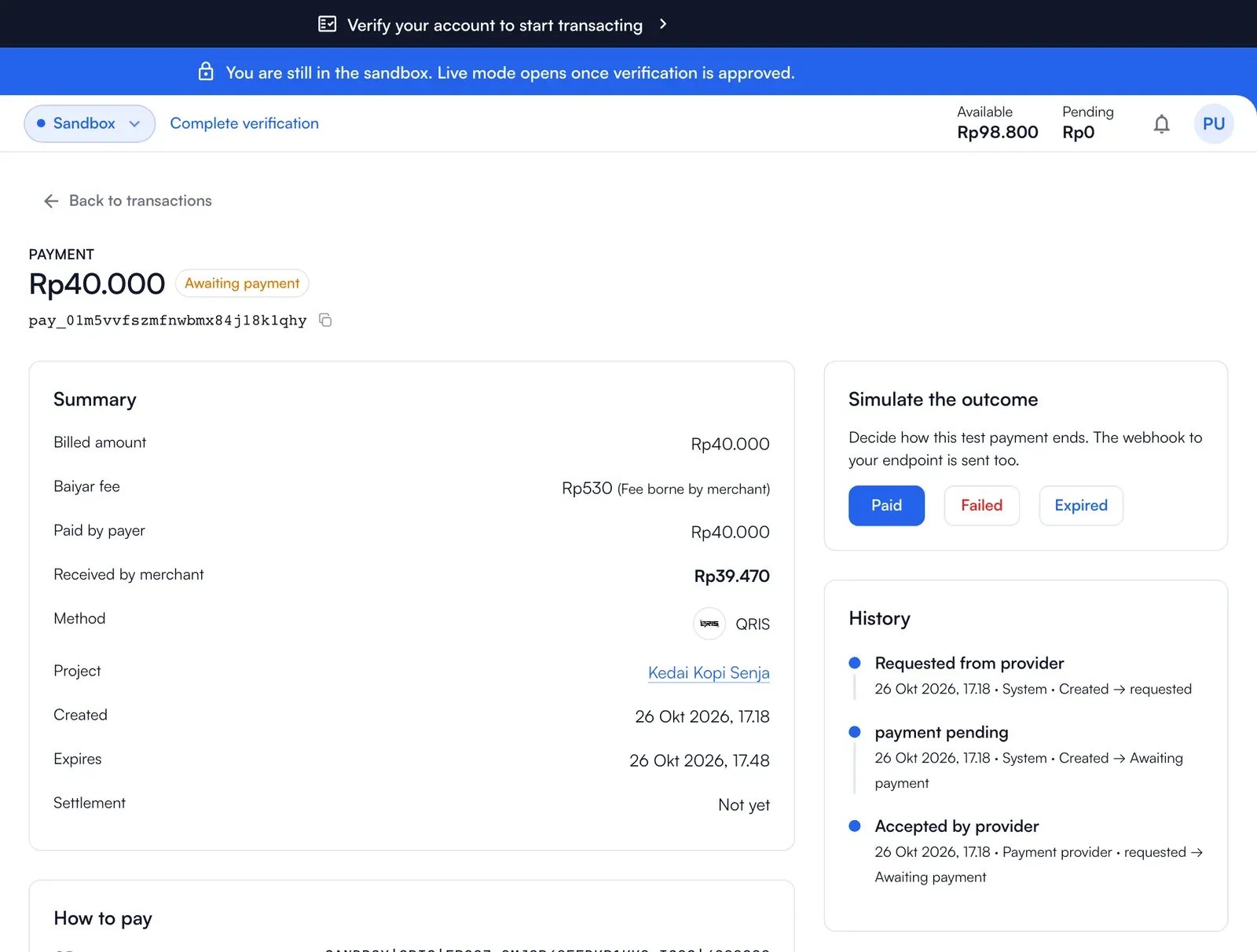
Simulate how a payment ends
Section titled “Simulate how a payment ends”With a test key, a pending payment ends the way you tell it:
curl "https://api.baiyar.com/v1/sandbox/payments/$PAYMENT_ID/simulate" \ -H "Authorization: Bearer $BAIYAR_KEY" \ -H "Content-Type: application/json" \ -d '{ "outcome": "paid" }'outcome |
Result |
|---|---|
paid |
The payment is paid; payment.succeeded is sent, and settlement follows. |
failed |
The payment fails; payment.failed is sent. |
expired |
The payment expires unpaid; payment.expired is sent. |
A live key cannot use this endpoint.
In the dashboard you can do the same: in the sandbox, open a pending payment under Transactions and decide how it ends.
Test your webhook endpoint
Section titled “Test your webhook endpoint”- Register your endpoint (public HTTPS; use a tunnel from your laptop) and press Test to receive a
webhook.testevent. - Run the scenarios under Developer Tools → Simulations against your endpoint. The sandbox sends events for a successful, failed or expired payment, events out of order, and the same event twice. These scenarios do not create stored payments. See Webhooks.
- Verify the signature exactly as in production: it is the same in the sandbox.
What to check before you go live
Section titled “What to check before you go live”- Your payment code sends an
Idempotency-Keyand stores the paymentidwith your order. - Your webhook handler verifies the signature over the raw body, answers
2xxquickly, ignores a repeated eventid, and reads the payment’s currentstatusinstead of trusting the order of events. - You handle every error code you can get, by
error.code(see Errors). - Live keys are in your secret store, not in the code, and restricted to your server addresses.