

Settings
Your profile and security, notifications, capabilities, business information and bank accounts, and where to find them.
Settings opens as its own page with a menu of groups.
Account and team
Section titled “Account and team”- Profile & Account: your name, your email and whether you are verified. To change account details, contact support.
- Security: your password and two-factor authentication.
- Account Activity: the devices signed in now and the login history.
- Notifications: the language of the notifications and the kinds you want to receive. See Follow your payments and balance.
The account starts with its owner as the only member.
Business
Section titled “Business”-
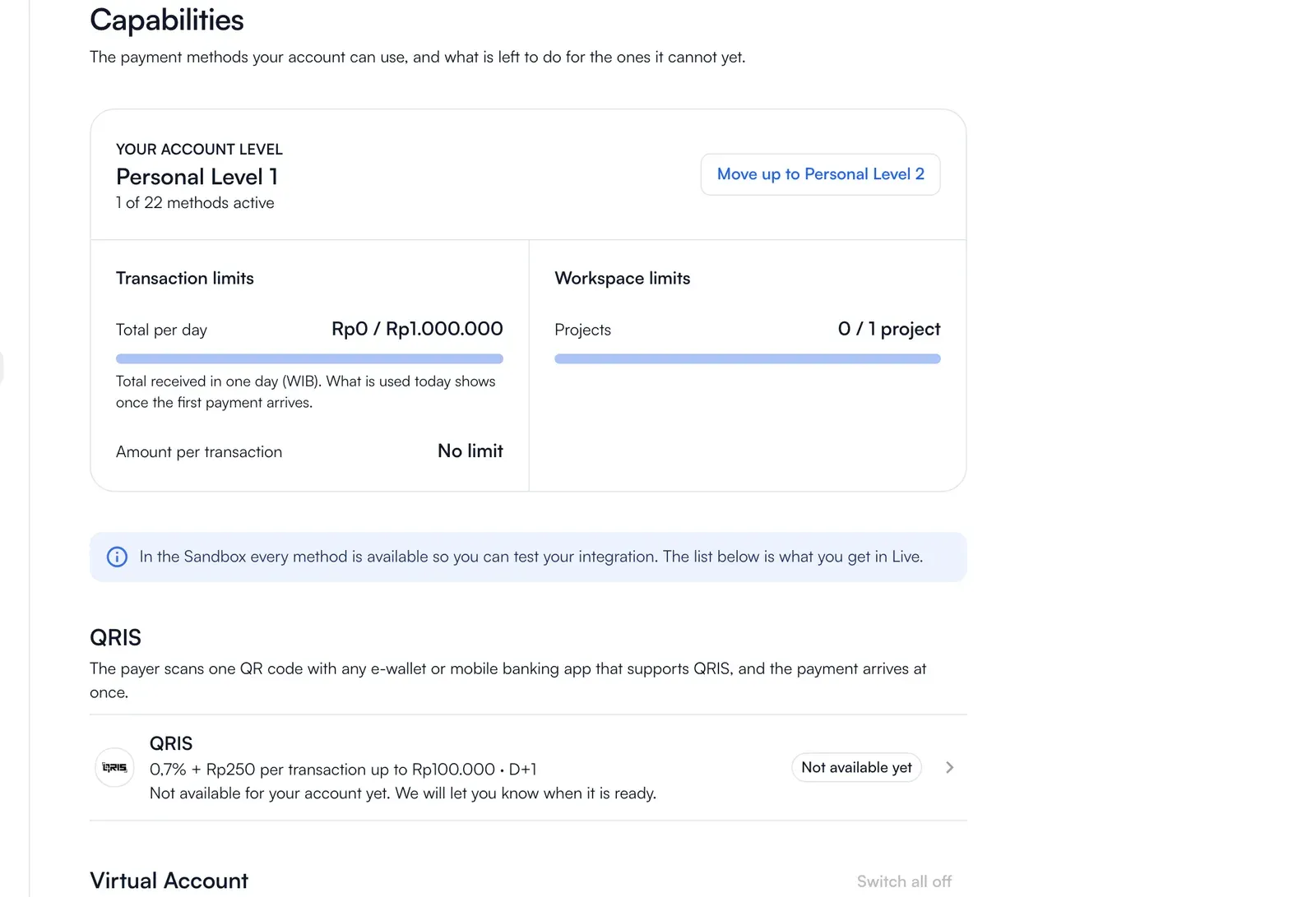
Capabilities: the payment methods your account can use now and what is left to do for the ones it cannot yet. It shows your account level, how many methods are active, and the next step: Complete verification, Move up a level, or Contact support. In the sandbox every method is available so you can test; the list is what you get in live.
-
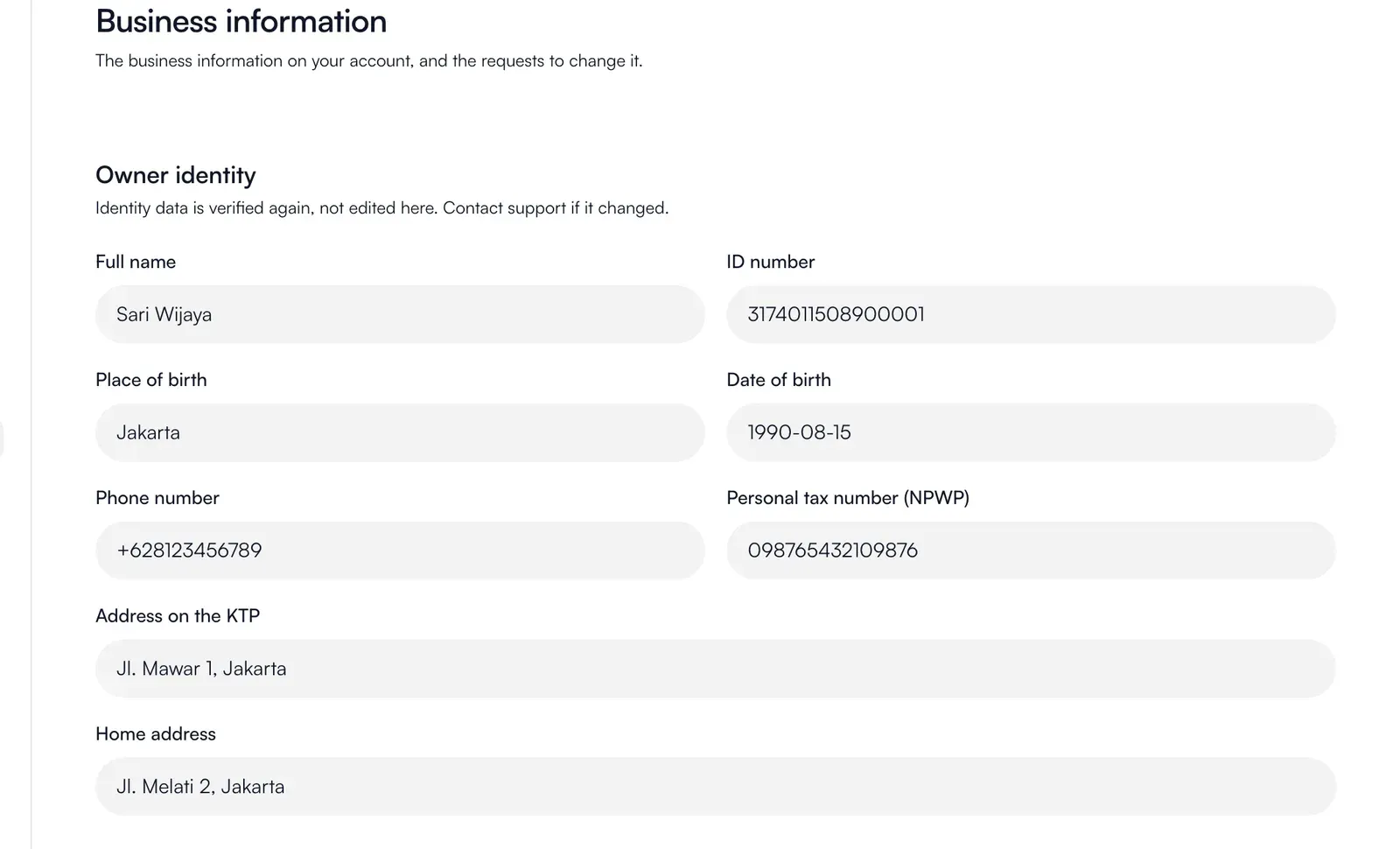
Business information: the legal, brand and beneficial-owner data from your verification, with its supporting documents. Submit a change request to edit it. The current information stays in effect until our team approves the request. You can Withdraw request while it is pending, or revise and resend a request returned for changes.
-
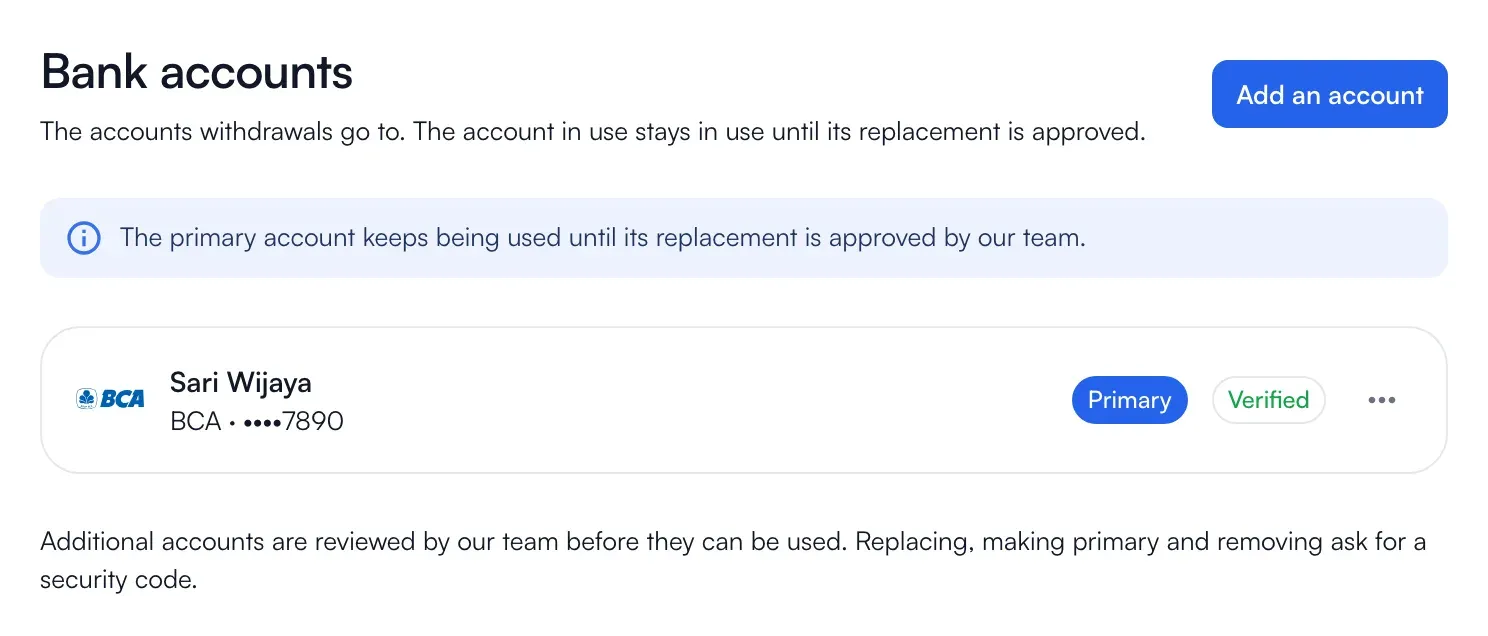
Bank accounts: the verified accounts associated with your business. The account holder name must match your verification. New accounts need review. You can set a primary account, replace an account’s details (the old one stays primary until the new one is verified), or remove a non-primary account. Replacing an account, changing the primary account or removing an account requires a security code.
Developer tools
Section titled “Developer tools”- API keys: see Get your API keys.
- Webhooks: see Webhooks.