

Get your API keys
Create, restrict, rotate and revoke the keys your server uses to call Baiyar, from the dashboard.
An API key lets your server call the Merchant API. Each key belongs to one environment: sandbox keys (bk_test_…) work with test data, and live keys (bk_live_…) move real money.
Create a key
Section titled “Create a key”-
Make sure the environment switcher shows the environment you want.
-
Open API Keys in the menu (or the API keys tab of a project, for a key that works for that project only) and select Create key.
-
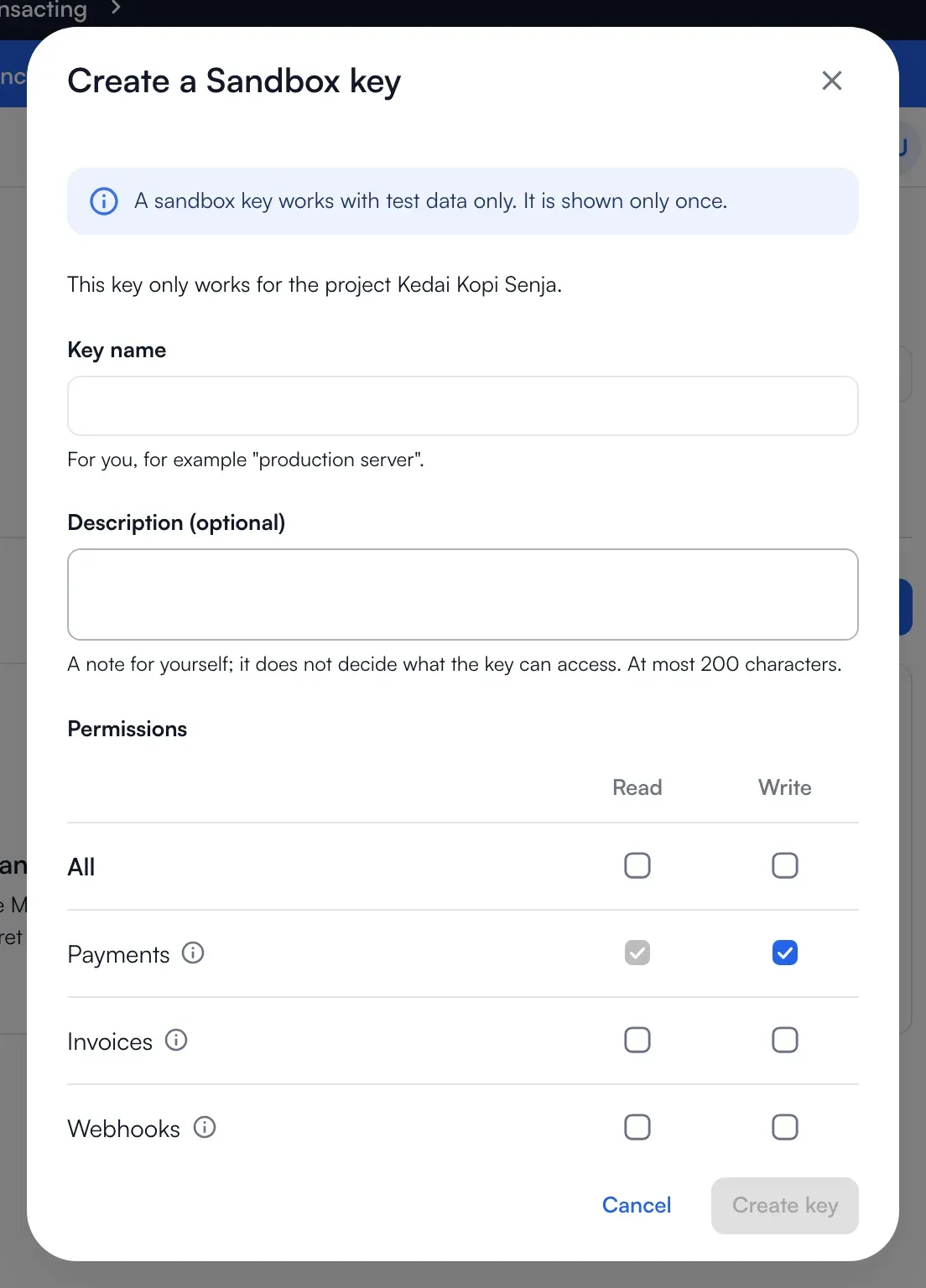
Choose the permissions the key needs: read payments, create payments, read invoices, make and issue invoices, read webhooks, manage webhooks, read balances. Give it only what your server needs. Invoices have their own permission because issuing one mails your customer.
-
Optionally set allowed addresses (one IP address or range per line; empty means any address), an expiry, and a description for yourself.
-
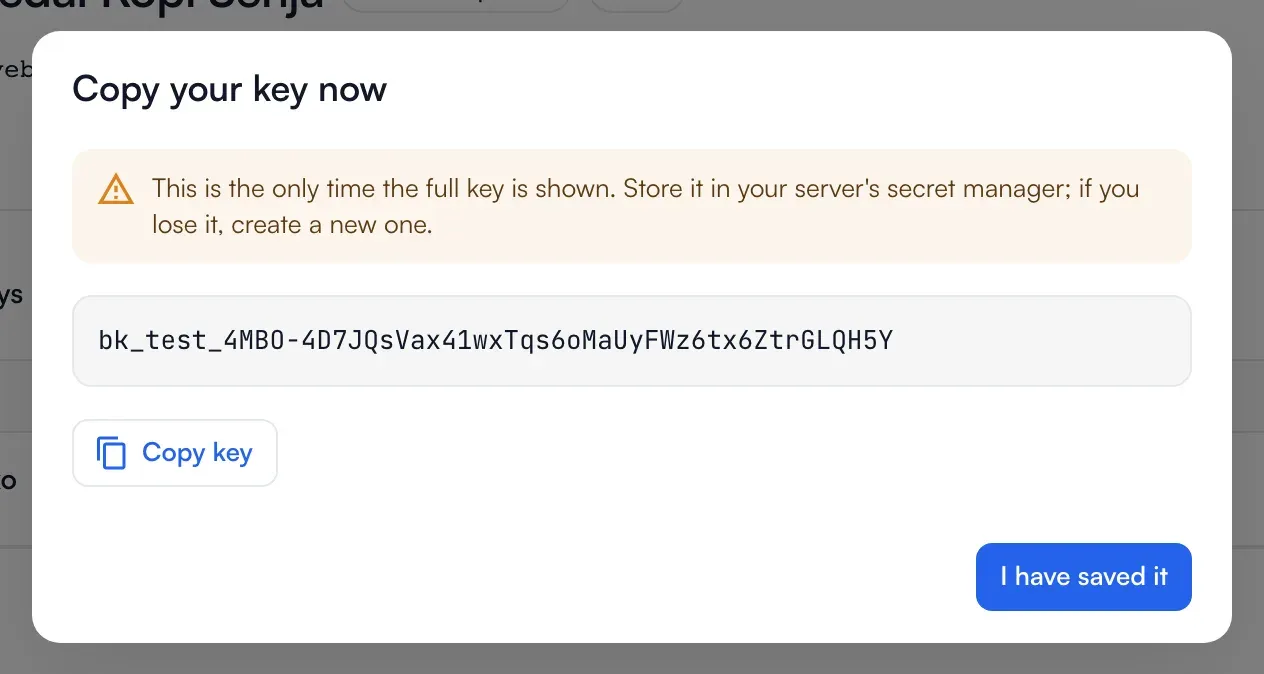
Create it, and copy the key now. The full key is shown once. Keep it in your server’s secret manager; if you lose it, create a new one.
Creating a live key needs a verified account and a second factor: the six-digit code from your authenticator app, or your password and a code we email you.
Keep keys safe
Section titled “Keep keys safe”- Never put a key in a mobile app, a web page, a repository or a URL.
- Use a separate key for each server or service, so you can revoke one without touching the others.
- Restrict a key to the addresses your servers call from. A call from anywhere else is refused.
Rotate a key
Section titled “Rotate a key”Choose Rotate on a key to make a new one with the same permissions. The old key keeps working for 24 hours so you can switch over, then stops. Rotating a live key asks for the second factor.

Revoke a key
Section titled “Revoke a key”Choose Revoke if a key leaks or is no longer used. Requests with it stop working immediately and this cannot be undone. A reason is optional and is kept with the key.
How the key is sent and what it may do is in Authentication. To use it, go to the Quickstart.