

Invoices
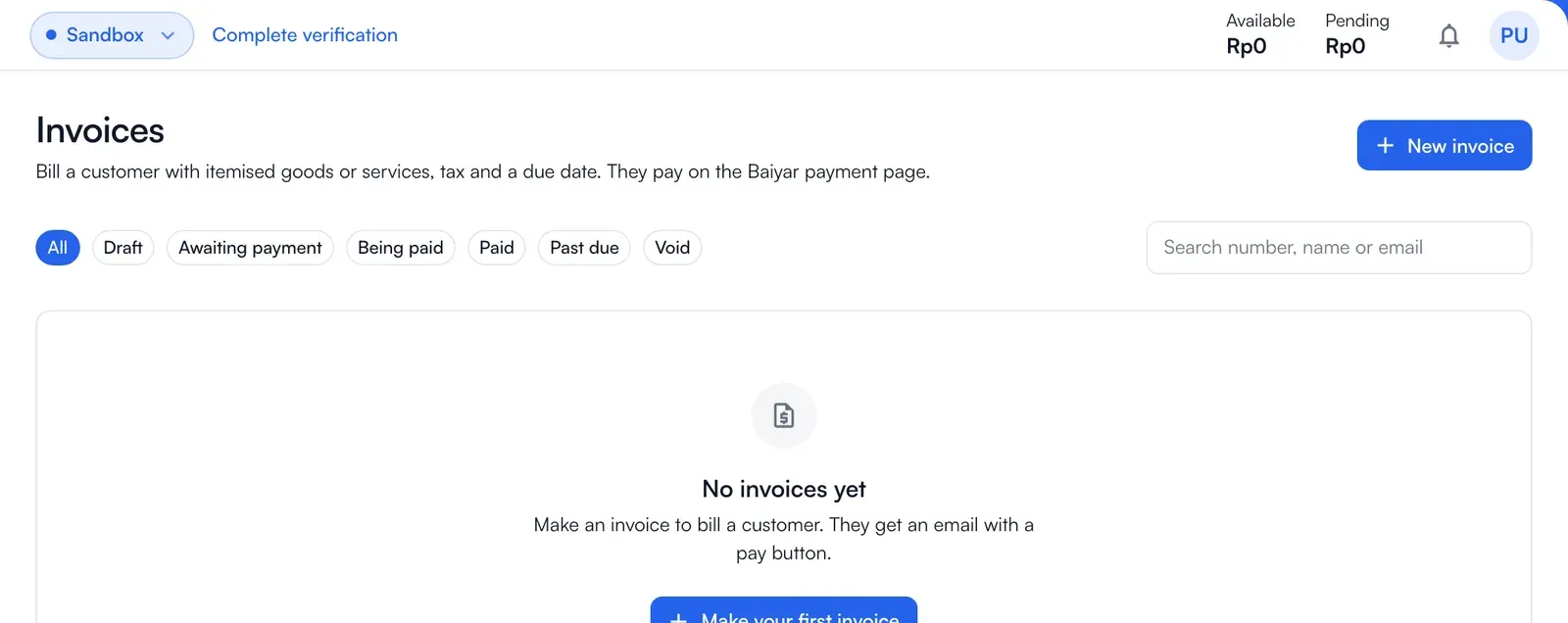
Bill a customer with itemised goods or services, tax and a due date; they pay on the Baiyar payment page.
An invoice is a payment link with an itemised bill around it. The customer gets an email with a pay button and pays on the same Baiyar payment page as any payment link.
Make an invoice
Section titled “Make an invoice”-
Choose Invoices in the menu and then New invoice.
-
Choose the project and fill in the customer’s name and email (a phone number is optional). The pay link is sent to this email.
-
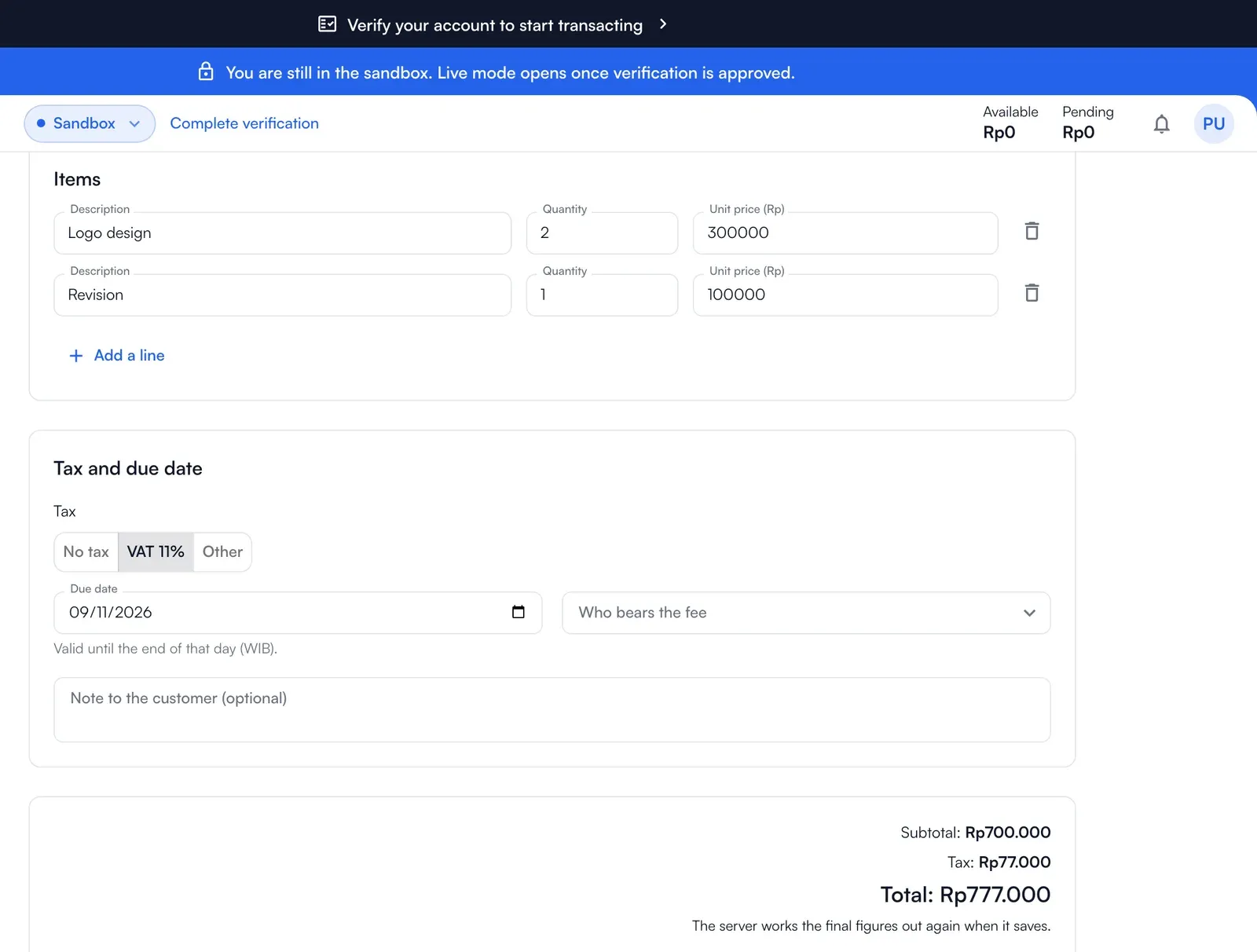
Add a line for each good or service: a description, a quantity and the unit price in whole rupiah.
-
Choose the tax: none, VAT, or another percentage, a due date (valid until the end of that day in WIB, and after today), and who bears the fee: the project setting, you, or the customer.
-
The invoice number is made for you. Nothing is sent until you issue the invoice, so you can save a draft and come back.
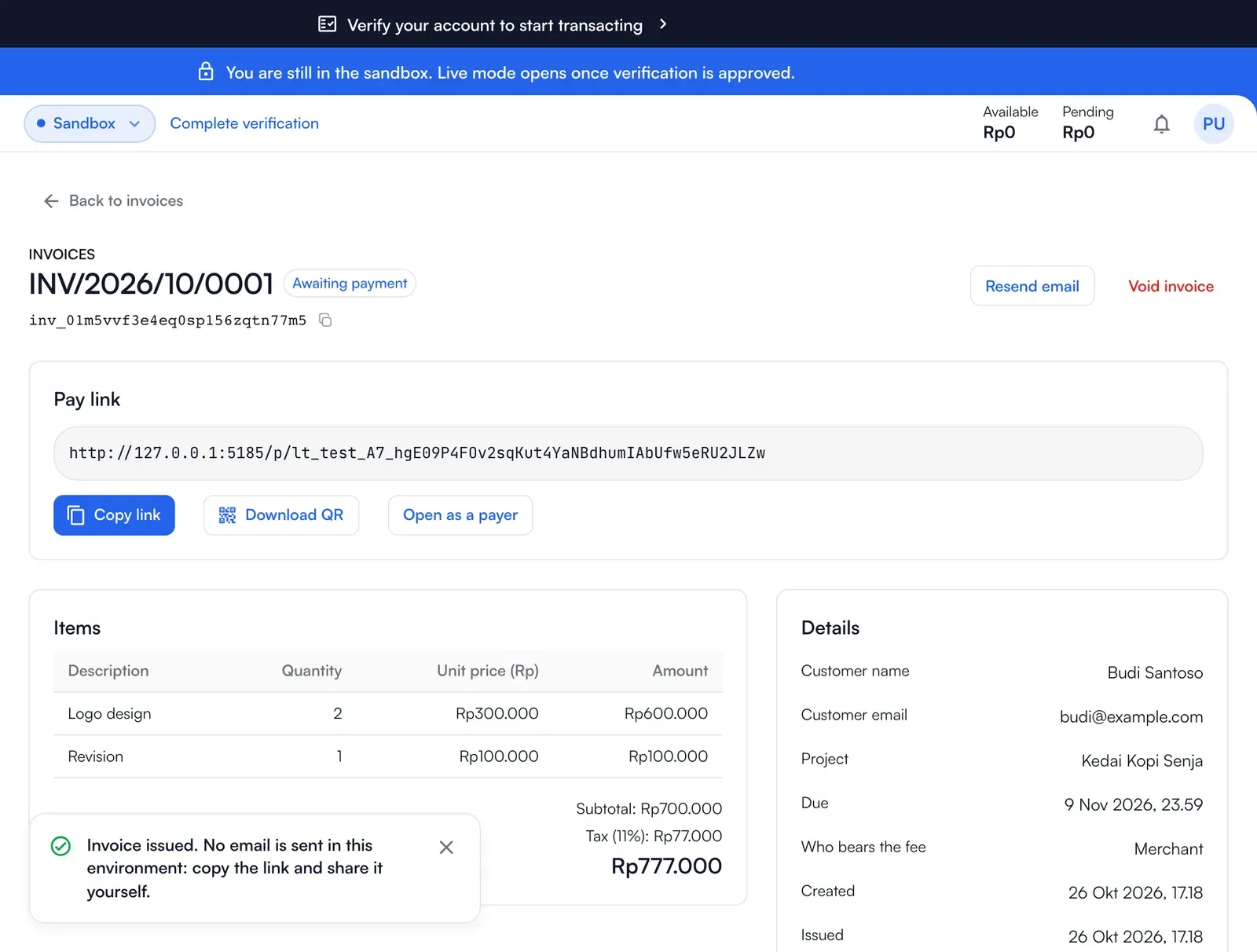
Statuses
Section titled “Statuses”| Status | Meaning |
|---|---|
| Draft | Not issued. You can edit or delete it. |
| Awaiting payment | Issued, not paid. |
| Being paid | The customer has started a payment. |
| Paid | Paid in full. |
| Past due | The due date passed. |
| Void | Cancelled by you. |
A draft can be deleted, and an issued invoice can be voided. The payments of an invoice appear in Transactions like any other payment.
With the API
Section titled “With the API”The same invoice, from your server. A key needs the invoices:write permission to make, issue, void and delete invoices, and invoices:read to read them (see Permissions). The operations are in the API reference.
Making an invoice only saves a draft. Issue it to get the pay link, and, in live, to mail the customer:
curl "https://api.baiyar.com/v1/invoices" \  -H "Authorization: Bearer $BAIYAR_KEY" \  -H "Idempotency-Key: invoice-2041" \  -H "Content-Type: application/json" \  -d '{    "customer_name": "Budi Santoso",    "customer_email": "budi@example.com",    "items": [{ "description": "Logo design", "quantity": 2, "unit_amount": 30000000 }],    "tax_rate_bp": 1100,    "due_at": "2026-11-15T16:59:59Z"  }'
curl -X POST "https://api.baiyar.com/v1/invoices/$INVOICE_ID/issue" \  -H "Authorization: Bearer $BAIYAR_KEY" \  -H "Idempotency-Key: invoice-2041-issue"
Amounts use IDR’s smallest unit. Rp300.000 is 30000000. tax_rate_bp uses basis points, so 1100 means 11%.
An issued invoice has a url to share with the payer. Its status can be open, paying, paid, expired or void; draft applies before issue. Follow the invoice.issued, invoice.paid and invoice.voided webhook events for status changes. An invoice does not send an expiry event after due_at, so check that field.
Every action requires an Idempotency-Key so a retried request does not send the email again. A project key can read invoices for its project; a merchant key must include project_id.
Invoice request fields:
| Field | Purpose |
|---|---|
project_id |
The project that receives the payment. Required for a merchant key; a project key is already bound to one project. |
customer_name, customer_email, customer_phone |
The invoice recipient’s details. In live, the email address is used to send the invoice when it is issued. Phone is optional. |
items |
The bill’s line items. Each has a description, quantity and unit_amount; the subtotal is quantity × unit amount for each line. unit_amount uses IDR’s smallest unit and must represent a whole rupiah. |
tax_rate_bp |
The tax rate in basis points; 1100 means 11%. tax_amount is calculated from the subtotal and rate, then rounded to the nearest rupiah. The rate is 0% when omitted. |
due_at |
Payment deadline in ISO 8601. An issued invoice changes to expired after the deadline; update a draft’s deadline if it has passed before you issue it. |
fee_bearer |
Whether the merchant bears the transaction fee or the fee is added to what the customer pays. If omitted, the project setting applies. |
note |
A text note for the customer on the invoice. |
Create a draft, check subtotal, tax_amount, total and the recipient, then issue it. Baiyar creates a payment link for the invoice. A payment through that link updates the invoice status and emits the related webhook event.