
Project Settings
Overview
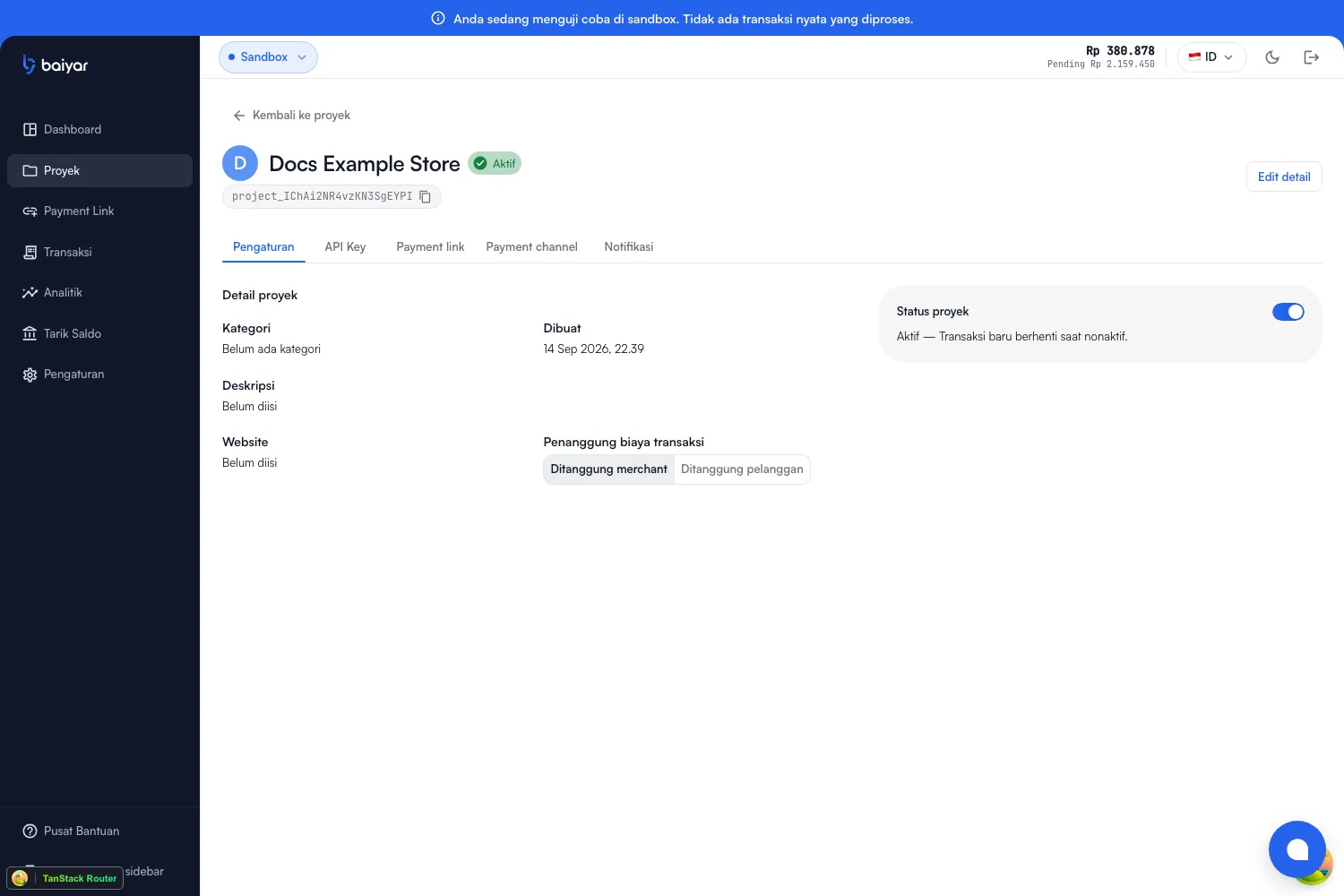
Section titled “Overview”A project’s Settings tab covers everything from the create dialog (all editable afterward), plus fee payer, status, and — once you’re ready — production review.
Transaction fee payer
Section titled “Transaction fee payer”Merchant or customer — applied to new payments on this project. This doesn’t change past transactions, only ones created after you switch it.
Project status
Section titled “Project status”Active or inactive. New transactions stop while inactive; this doesn’t affect payments already made.
Going to production
Section titled “Going to production”Once you’re ready to accept real payments, Settings also shows a production readiness checklist and a review status:
| Check | What it needs |
|---|---|
| Merchant KYC approved | See Business Verification |
| Project name | Set |
| Category | Set |
| Description | Set |
| Logo | Uploaded |
| Website | Set |
| Project evidence | At least 1 photo (shown to the reviewing admin only, not public) |
Once every check passes, Submit for review appears. A reviewing admin then either approves the project or requests changes — if changes are requested, update the flagged details and resubmit.