
Overview
Overview
Section titled “Overview”Dashboard is what you land on after signing in — a single-page summary of your balance and activity, across one project or all of them, for whatever time window you pick. It’s a read-only view built for a quick “how am I doing” check; the pages you’d act on (create a link, withdraw, manage a project) are elsewhere.
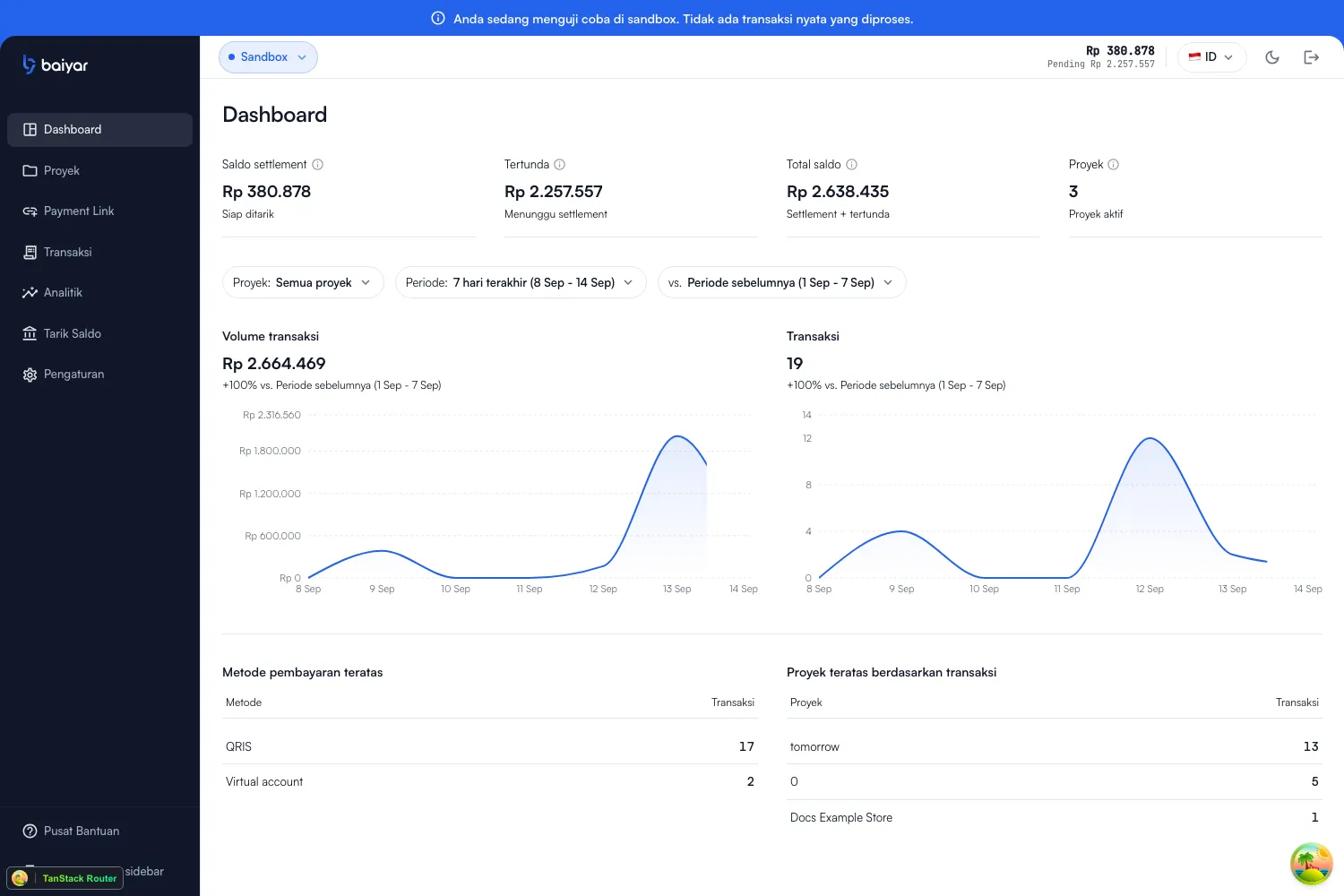
The stat cards
Section titled “The stat cards”| Card | Meaning |
|---|---|
| Settled balance | Funds that have finished settlement and can be withdrawn |
| Pending | Funds from successful transactions still going through settlement |
| Total balance | Settled balance plus everything still pending settlement |
| Projects | How many active projects you have |
These four aren’t affected by the filters below — they’re always your current, real-time balance, not a historical figure for a date range. See Settlement for how pending becomes withdrawable.
Filters
Section titled “Filters”Three controls above the charts, all independent of each other:
-
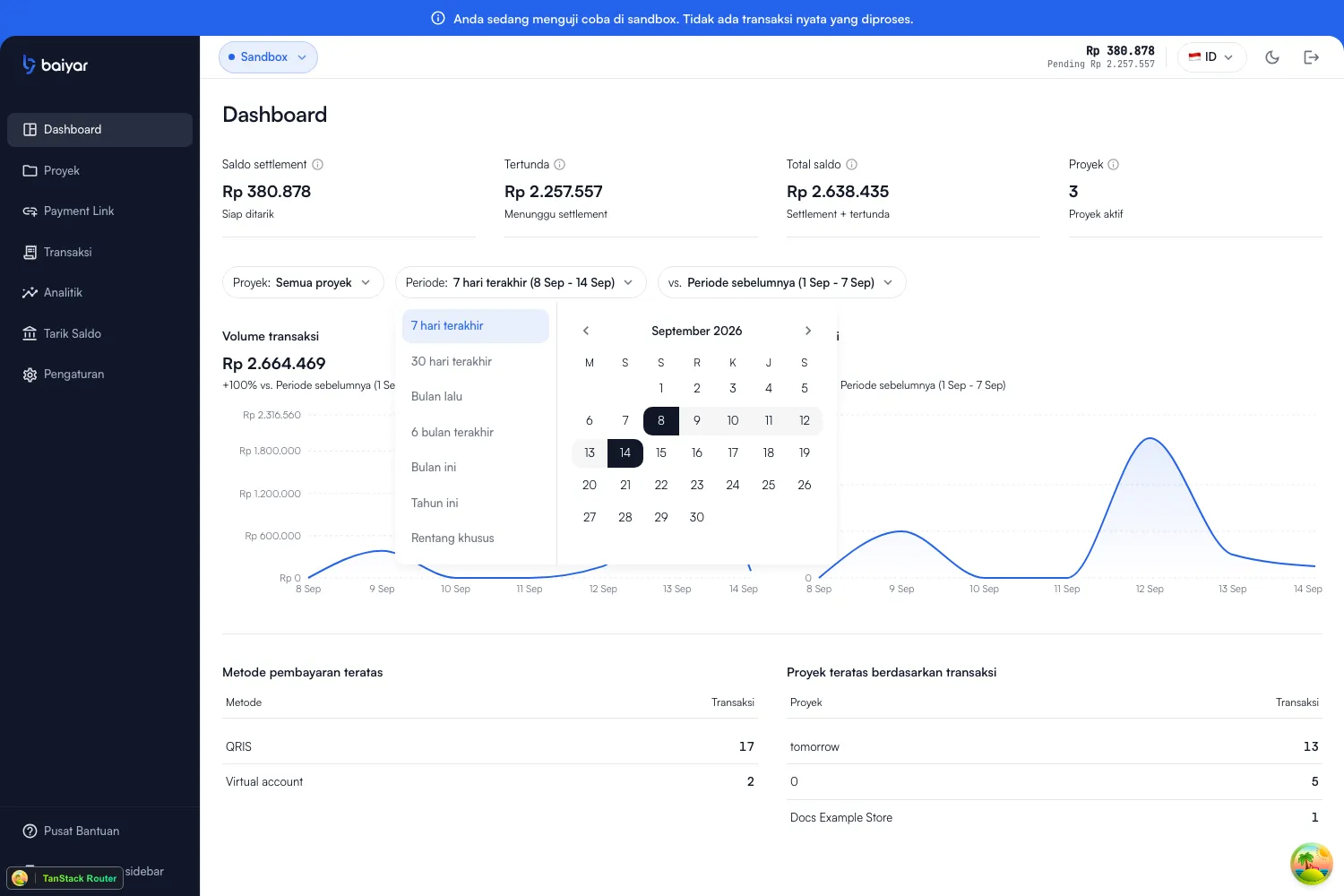
Project — “All projects” by default; check one or more projects to scope everything to just those.
-
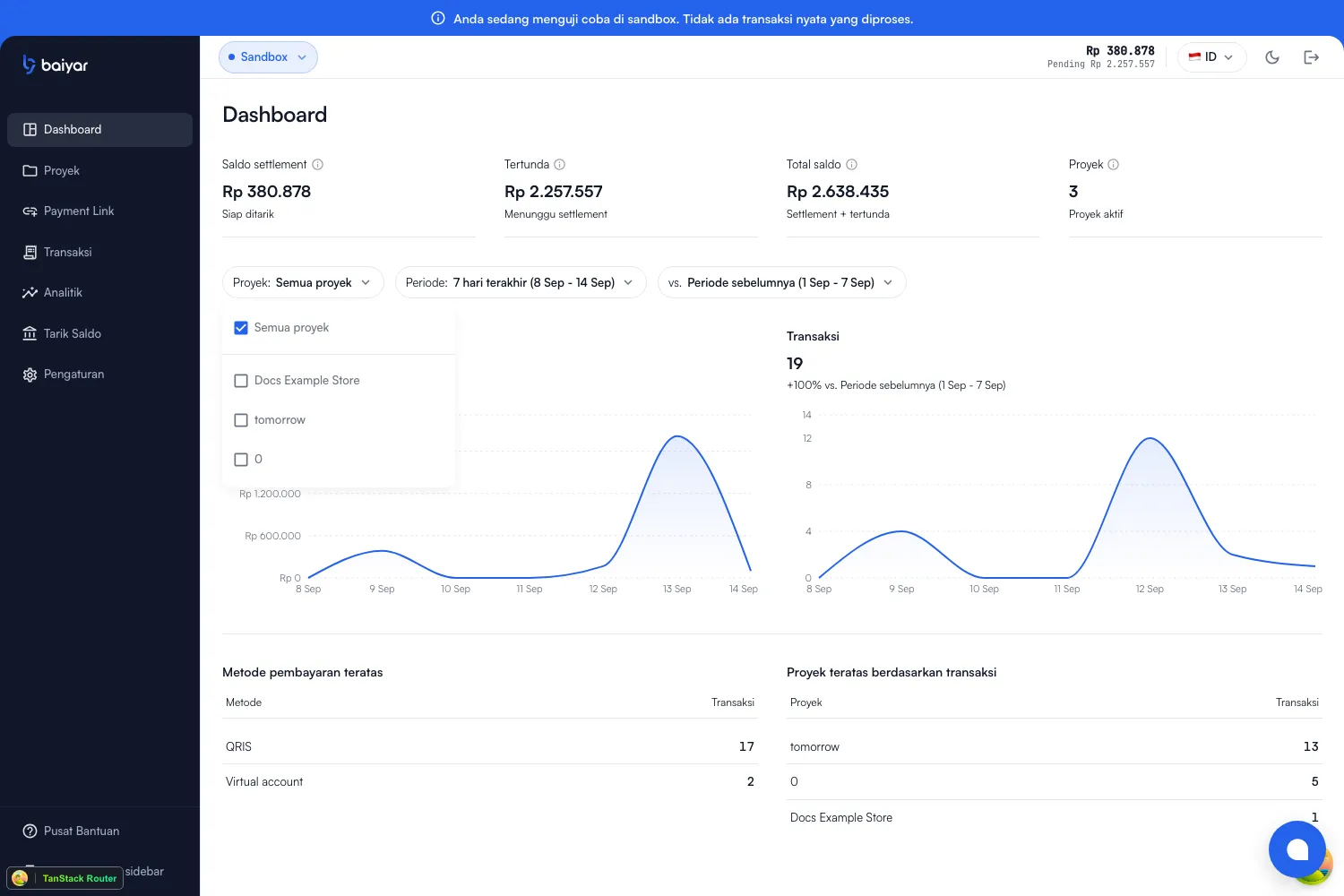
Period — a preset (Last 7 days, Last 30 days, Last month, Last 6 months, This month, This year) or a custom range from the calendar.
-
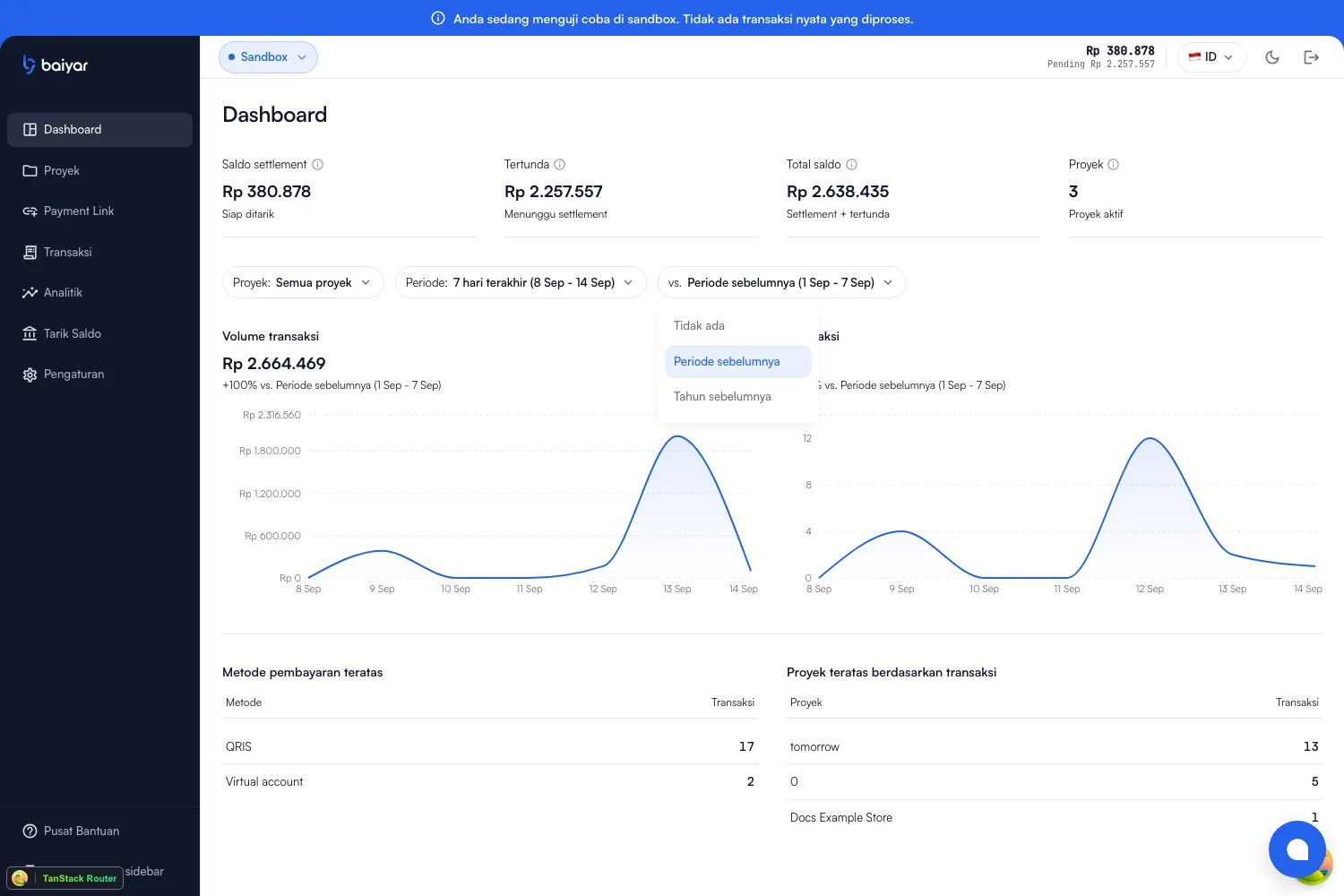
vs. — what the percentage change next to each chart is measured against: no comparison, the previous period of equal length, or the same period last year.
Charts and rankings
Section titled “Charts and rankings”Everything below the filters is built only from succeeded transactions in the selected project(s) and period:
- Transaction volume and Transactions — daily trend lines for total amount and count, each with a percent change against your chosen comparison.
- Top payment methods — methods ranked by transaction count.
- Top projects by transactions — projects ranked by transaction count (hidden if you’ve filtered to a single project).
Next steps
Section titled “Next steps”- Transactions for the individual records behind these numbers.
- Settlement for how settled balance becomes a withdrawal.